Small, useful tools for Second Life.
From the Greek agalma — a thing of delight, given freely.

Small, useful tools for Second Life.
From the Greek agalma — a thing of delight, given freely.
Sit. Tap. Drive.
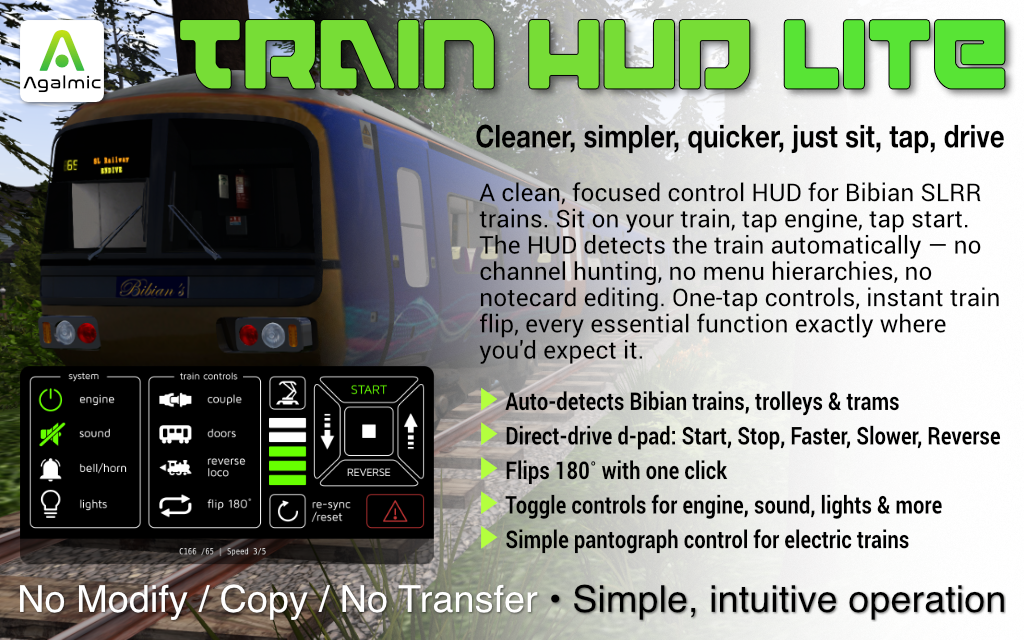
A clean, focused remote control HUD for Brit Balogh's Bibian's Train fleet — SLRR-compatible locomotives, trolleys and trams. Drop the helper script onto each of your trains and the HUD recognises them automatically — no setup, no channel hunting, no notecard editing. Just sit and drive.
Train HUD Lite is a remote control HUD for Brit Balogh's SLRR-compatible trains in Second Life. It auto-detects each train you sit on, tunes to its private command channel, and gives you every essential function as a single tap on a clean, simply-laid-out panel.
No menu hierarchies. No channel browsers. No configuration screens. The HUD remembers your trains across sessions, so the second time you sit on the same loco, it's already tuned and ready.
Drop the helper script onto each train once. The HUD picks it up automatically every time you sit.
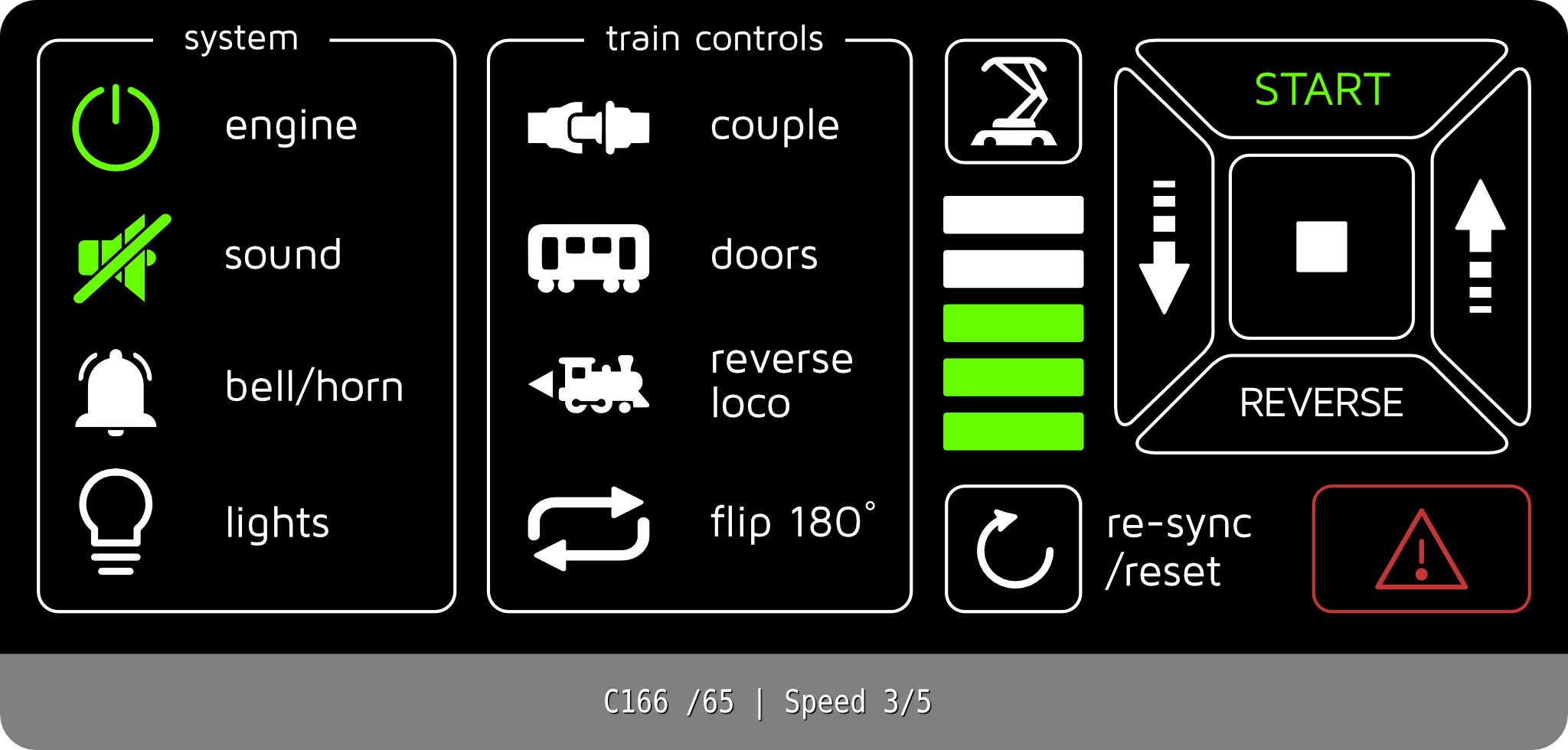
Engine, sound, lights, doors, couple, pantograph — all toggle with a single tap. Lit when on, dim when off.
Reverse Loco flips the leader on multi-car trains in one tap. No menu diving, no hunting.
At a glance: how fast you're going, plus a Start indicator that lights when moving and a Stop indicator that lights when stopped.
Single-button toggle for both pantographs on electric trolleys and trams. Lit when raised.
One small button slides the entire HUD out of the way when you want a clean view, brings it back instantly when you want it.
Remembers as many trains as you drive. The HUD recognises each one as you sit and tunes accordingly.
Drop the helper, take the train back to inventory, drive. No notecard editing, no channel configuration.
Designed for the SLRR-compatible trains by Brit Balogh on 1.96m gauge. Tested with a range of her models including steam locomotives, diesel railcars, electric trolleys and trams. Variations exist across Brit's catalogue — if you experience any issues with a specific train, IM Joshua Lit in-world before leaving a review and we will do our best to help.
The package includes a notecard manual covering installation, every button and operation tips. No-modify, copy, no-transfer.