Small, useful tools for Second Life.
From the Greek agalma — a thing of delight, given freely.

Small, useful tools for Second Life.
From the Greek agalma — a thing of delight, given freely.
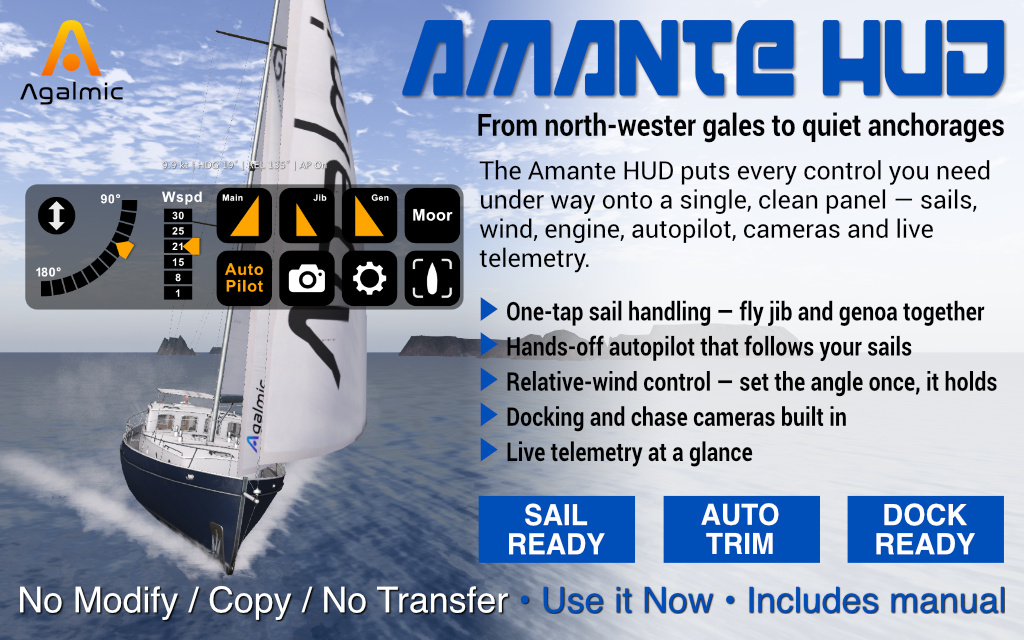
Just you, the boat, and the horizon.
The Amante HUD puts every control you need under way onto a single, clean panel — sails, wind, engine, autopilot, cameras and live telemetry. No menus, no fumbling. Sail her alone or with crew, on a leisurely afternoon cruise or a long reach across open water.
Most wind systems make you set the wind in world terms — "from the south at fifteen knots" — and re-trim every time you turn. The Amante HUD works the other way round. You set the wind angle relative to your bow, and the HUD holds that angle locked as you steer. Your sails stay full no matter which way you point.
The autopilot trims your sails to the wind and looks after itself. Raise your first sail and it engages a moment later; drop your last and it lets go. Take the trim back any time with a single tap — the helm is yours whenever you want it.
The Amante carries three sails, each on its own button: Main, Jib and Genoa. She's happy to fly jib and genoa together for real power off the wind. Two built-in camera modes handle the moments a normal view won't do, and live boat data floats above the HUD — speed, heading, heel, wind angle, autopilot state — refreshed every second.
Set the angle once on the arc; the HUD recomputes world wind as you turn. Sails stay full at every heading.
Engages a moment after your first sail is up; releases when the last sail comes down. Tap to override any time.
Main, Jib and Genoa each on their own button. Fly jib and genoa together for real power off the wind.
Short-press the Tracker button for a near-plan view from above. Read your hull against the pier instead of guessing.
Long-press for an elevated chase view above and behind, looking forward over the rig. Useful when full sail blocks your view.
Speed, heading, heel, true wind angle and autopilot state float above the HUD — refreshed every second.
One on the helm, one on the sheets. Say give controls in local chat to swap roles mid-sail; both crew see the same HUD.
A sim crossing can knock your camera loose. Tap the Cam button to snap it straight back to the sailing view.
Hover or tap a marker to see what each control does, then read the full reference below.
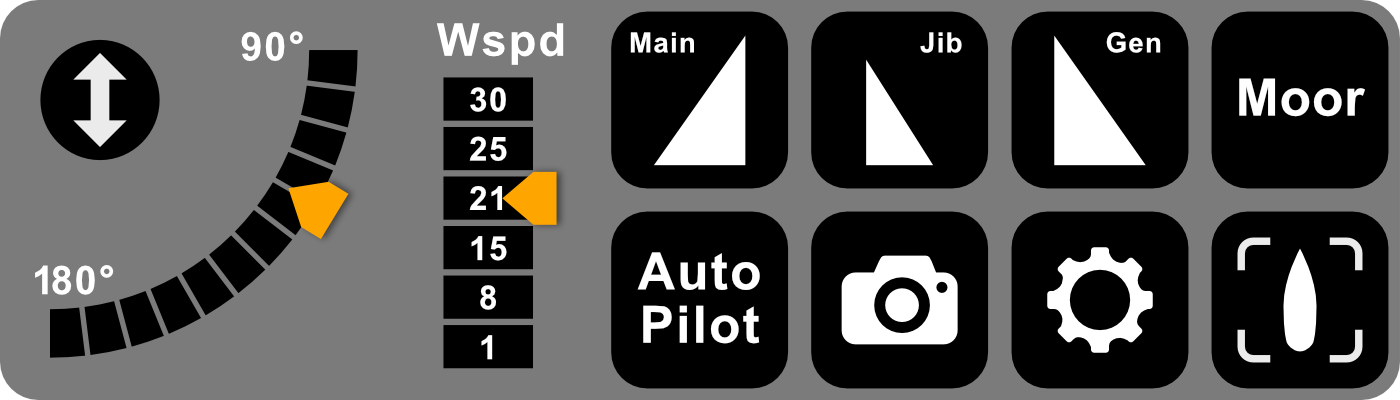
The AM HUD panel. Marker positions are a guide — the labels on the HUD itself are the reference.
The double-arrow button slides the whole HUD off-screen when you want a clean view of the water, and brings it back with another tap. The button itself stays visible at the corner, so the HUD is never more than a tap away.
The arc covers the downwind half of the wind circle, from 90° (a beam reach — wind across the boat) round to 180° (dead downwind). Tap anywhere to set the wind angle relative to your bow; the orange tab marks where it sits. Tap higher up the arc to sail closer to the wind — the boat picks up and feels livelier — or lower for a broader, gentler ride.
Six wind speeds in knots: 1, 8, 15, 21, 25, 30. Tap a value and the orange tab jumps to it. 1 is a near-calm drift (useful for slowing before a mooring), 15 a comfortable working breeze, 30 a proper blow.
Raises or lowers the mainsail. Hoisting takes a moment on the Amante — let it finish before sending the next command. Lit when up.
The smaller, all-conditions headsail. One tap up, one tap down. Lit when up.
The larger headsail — more power, but heels the boat further over. Unlike many yachts, the Amante is happy to fly jib and genoa together — raise both for real power off the wind. Lit when up.
A single-tap return to her moored state: lowers all sails, releases the autopilot, stops the engine. The HUD updates every button to match. Use it at your mooring to finish the sail cleanly.
Trims the sails to the wind and holds them there as you turn. Engages itself a few seconds after your first sail is up; releases the moment you drop your last sail. Lit while on. Tap any time to override — raising or lowering a sail switches it back on, so make sail changes first and turn it off last.
A sim crossing can knock your camera loose — drifting off to one side, or snapping to an odd angle. Tap Cam to snap straight back to the sailing view. A one-shot button: a single tap, no on/off state.
Starts and stops the motor for harbour manoeuvring. Lit while running. Throttle with Page Up / Page Down once started.
Two scripted camera modes on one button. Short-press for top-down: a near-plan view from above, ideal for docking. Long-press (¼ second) for follow-cam: an elevated chase view above and behind, looking forward over the rig — useful when full sail blocks your view. The button glows orange for top-down, green for follow-cam.
The HUD covers the controls you reach for under way. The Amante carries a few extras the panel deliberately leaves off — say the word in local chat while seated:
The AM HUD is purpose-built for the TMS Amante, a luxury cruising yacht by The Mesh Shop. It speaks to the boat on the standard TMS sailing channel (29000) using the BOSS engine command set, and listens for telemetry on a private broadcast channel.
Organised SL races use enforced event wind set by race buoys, which override personal wind HUDs — so the AM HUD is for private sailing rather than club racing. Long ocean reaches, weekend cruises, and unhurried days under sail with crew or on your own.
The package includes the AM HUD, the AM Broadcast script and a notecard guide. Questions or issues? IM Joshua Lit in-world — most things are quick to sort with a short test.