Small, useful tools for Second Life.
From the Greek agalma — a thing of delight, given freely.

Small, useful tools for Second Life.
From the Greek agalma — a thing of delight, given freely.
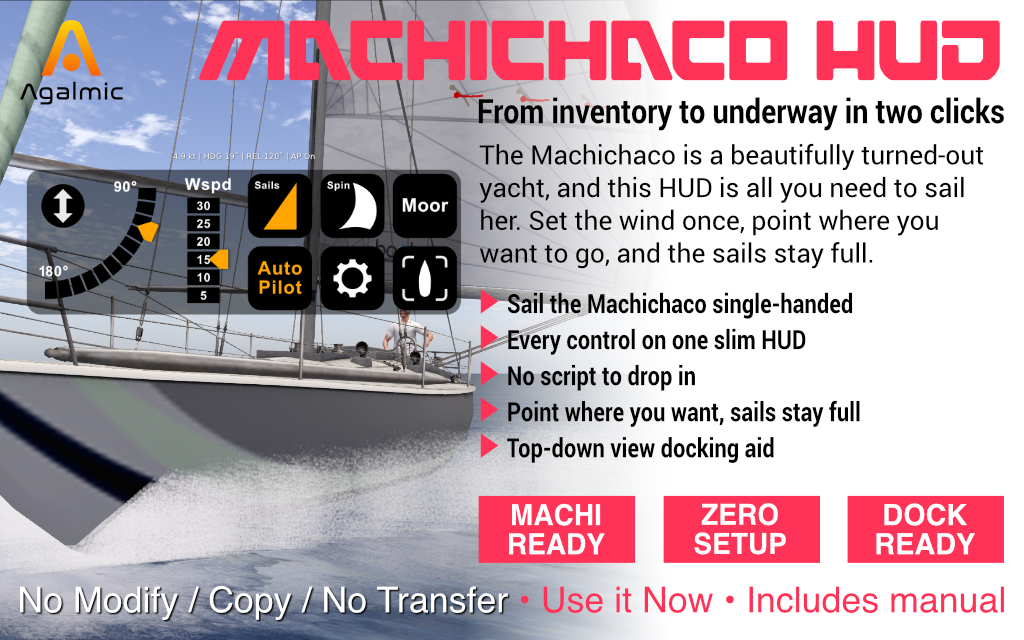
The Machichaco, simply sailed.
Everything the Machi HUD does, and a worked first sail from mooring to mooring. Jump to a section:
The Machichaco is a traditional Basque ketch — a graceful two-masted cruiser built for unhurried passages. The Machi HUD keeps that character intact while taking the fuss out of her handling: it tracks the wind, holds it locked to your bow and trims the sails to suit, so your attention can stay on the steering and the view.
Wear the HUD, sit down, raise the sails and engage the autopilot — four taps and you are sailing. The wind stays pinned relative to your bow however you turn, so the sails stay full on every heading. A built-in engine handles the dock and the calm patches.
The Machi HUD adds nothing to your boat. The Machichaco broadcasts its own telemetry through Isard's GLW system, so there is no companion script to drop in and nothing to rig — wear the HUD, sit down, and it finds the boat on its own.
Most Second Life wind systems set the wind in world terms — "from the south-west at fifteen knots". The moment you turn, the wind shifts against your new heading and the sails need re-trimming. Get it wrong and the boat stalls.
The Machi HUD works the other way round. You set the wind angle relative to your bow — a broad reach off the quarter, say — and the HUD holds it locked there as you steer. Whatever direction you point, the sails stay full. You go where you steer, and the trim looks after itself.
Set the angle once. Turn as much as you like. The wind turns with you, so the sails stay drawing on every heading.
Hover or tap a marker to see what each control does, then read the full reference below.
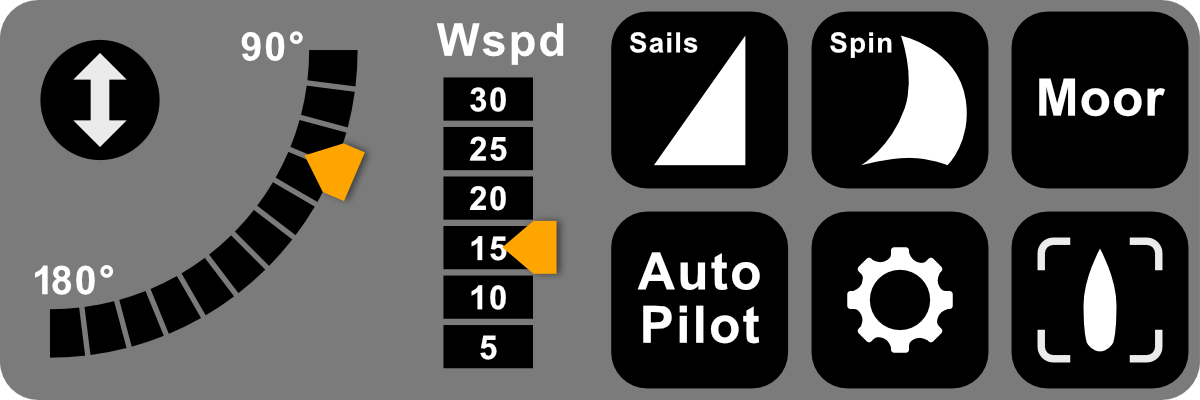
The Machi HUD panel. Marker positions are a guide — the labels on the HUD itself are the reference.
The double-arrow button in the top-left slides the whole HUD off the bottom of the screen, and brings it back with another tap. Tuck it away when you want an uncluttered view of the water; the button stays reachable even while the HUD is hidden. For the slide to work cleanly, keep the HUD on a Bottom attachment point.
Tap anywhere along the arc to set the wind angle relative to your bow; the orange tab slides smoothly to the new position. The arc runs from 90° (a beam reach, wind across the boat) through 135° (a broad reach) to 180° (a dead run, wind straight aft). The HUD works out the matching world wind direction and sends it to the boat at once.
Sets the wind strength in knots: 5, 10, 15, 20, 25 or 30. Tap a value and the orange tab points to it. 5 knots is a gentle drift — and the floor; the GLW system clamps anything lower. 15 is a comfortable working breeze, 30 a proper blow.
The Machichaco handles all her canvas as a unit. One tap raises the working sails and puts her into sailing mode; another drops everything and returns her to her moored state. The button reads the boat's real sail state from telemetry, so it stays correct even if you raise or lower sail from the boat's own controls.
Raises or lowers the spinnaker, the Machichaco's downwind balloon. When you raise it, the HUD snaps the wind angle to 175° — almost dead aft — because the spinnaker is a running sail and will not draw on a reach. Lit while the kite is up.
Returns the boat to her moored state in one tap — it lowers all sail, releases the autopilot and stops the engine together, and resets every button on the HUD to match. A single-shot action: this is how you finish a sail.
Trims the sails to the wind and holds them there as you turn, sending the boat continuous wind updates so the angle stays locked to your bow. Tap it on once the sails are up. A useful habit: set your wind, tap Auto Pilot to trim, then tap it off again — the sails stay set and the wind stays locked, so you can steer freely with the autopilot out of the way. Lit while on.
Starts and stops the Machichaco's motor — useful for leaving the dock or easing through tight water at low speed. Lit while the engine is running. Tap it off again once you are under sail.
Switches the camera to a bird's-eye view above the boat — the easiest way to see exactly where your hull sits against a pier when docking, instead of guessing from the chase camera. Tap again to return to your normal view.
A full worked example — every tap, from leaving the mooring to tying up again.
Check that you are sitting on the Machichaco. The HUD finds the boat's channel from your sit — until you sit down, it has nothing to talk to.
Either you are not sitting on the boat yet, or telemetry has not arrived. Stand up and sit back down; the hover text should fill in within a second.
The HUD's idea of state can drift from the boat's — after a sim crossing, say. Long-press the affected button for a quarter-second; it flashes green, and on release the colour flips without sending any command to the boat. This works on Auto Pilot, Spin and Engine. The Sails button needs no such fix — it reads the boat's real sail state directly.
The HUD must be attached to the Bottom HUD point. On any other point the prim rotations are wrong and Show/Hide slides it the wrong way. Detach the HUD and re-attach it specifically to Bottom.
Stand up and sit on the new boat. The HUD re-derives its channel on every sit, so it always points at whatever Machichaco you are currently aboard.
You tapped Show/Hide. The double-arrow button is still there in the top-left — tap it to bring the HUD back.
Still stuck? IM Joshua Lit in-world before leaving a review — most things are quick to sort with a short test.
The Machi HUD is purpose-built for the Machichaco, the traditional Basque ketch from Isard. It is matched to that one boat — her sails, her engine and her GLW telemetry — which is what lets it do so much with so few taps. Because the Machichaco broadcasts its own telemetry, there is nothing to install: the HUD works the moment you sit down.
Other yachts in the Agalmic range each have a HUD built specifically for them. If you sail more than one boat, see the Agalmic catalogue for the matching HUD.
L$399
Copy / No Modify / No Transfer · Includes the Machi HUD and the Machichaco HUD Guide notecard
Buy on Marketplace